 Baby Mode
Baby grabbed your phone? Just say "Siri, open Baby Mode."
Get the full app free for the first 300 families! $4.99 at launch

Finally, a way to intercept those tiny fingers that tap into trouble. Baby Mode locks itself the second it opens, so they can't swipe out.
Tap, drag and pop. Turn your sound on!*
*Haptics and sounds can be turned off anytime.
needed
Want them to ignore your phone? Make it black‑out boring.
Black is a locked phone that shows nothing. No lights, no sounds, no videos. They can hold it and tap all they want, and nothing happens.
- Nothing to watchA dark screen that stays dark. No stimulation, no screen time guilt.
- Nothing to mess upNo calls, texts, photos or deleted apps. It stays locked until you unlock it.
- FreeBlack comes with Baby Mode. No upgrade needed.
Let them have it. Safely.
Take it away and there are tears. Let them have it and there's chaos. Baby Mode is the third option: they get something calm and fun, and your phone stays safe.
Uh oh.
You're halfway through paying the rent, and tiny hands grab your phone.
Hands-free, because you don't want to grab it back mid-diaper change. If your hands are clean you can also press your Action Button.
Phew.
Two seconds later it's bubbles, paint and confetti, locked tight. They play, and your money stays put.
From "uh oh" to locked, without lifting a finger.
Set it up once and Baby Mode locks your phone every time it opens. After that, you just ask Siri to open it.
- They grab itMid-scroll, mid-text, mid-photo. Little hands are fast.
- You say "Siri, open Baby Mode"From across the room, hands full. Or press your Action Button.
- It opens and locks itselfApple's Guided Access turns on the moment Baby Mode opens and keeps them there until you unlock it with your passcode or Face ID.Locked • triple-click to unlockWhen it locks, the o in Baby Mode clicks shut into a padlock and this green pill pops up.
Every tap pops, chimes and sparkles.
Match their mood, from a plain black screen at bedtime to confetti for a long wait. AKA this app buys you a minute when you need it most. (Like during diaper changes)
Black
A plain black screen. Nothing moves, it just stays locked.

Dark
Soft glowing lights on a night sky. Gentle enough for bedtime.
 Free
Sky Writing
Draw with fluffy clouds that drift and melt away.
 Free
Light
Soap bubbles that drift up and pop with a soft chime.
Beach
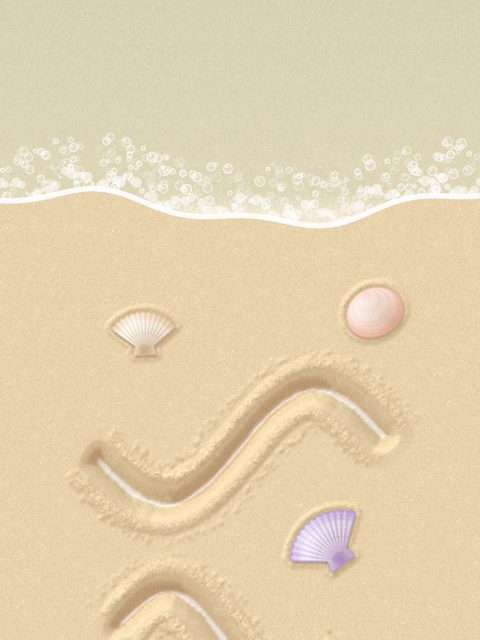
Dig in soft sand, tap for seashells and pull the sea down to wash it smooth.

Paint
Squish and swirl thick, glossy paint. Tap to change the colors.
Pop It
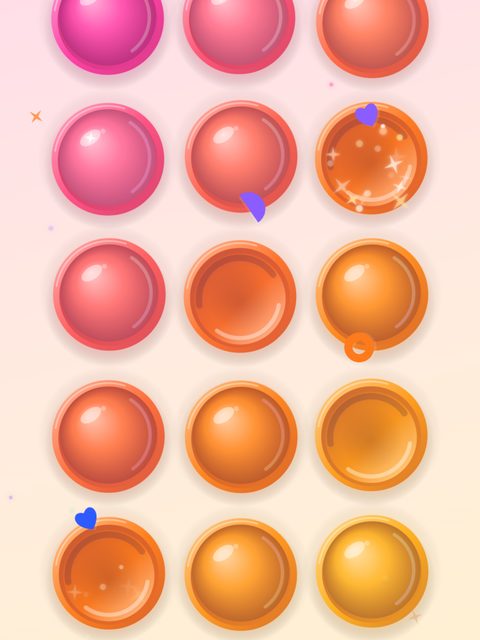
Big squishy bubbles. Pop them all and more come back, a little smaller each time.
Switchboard
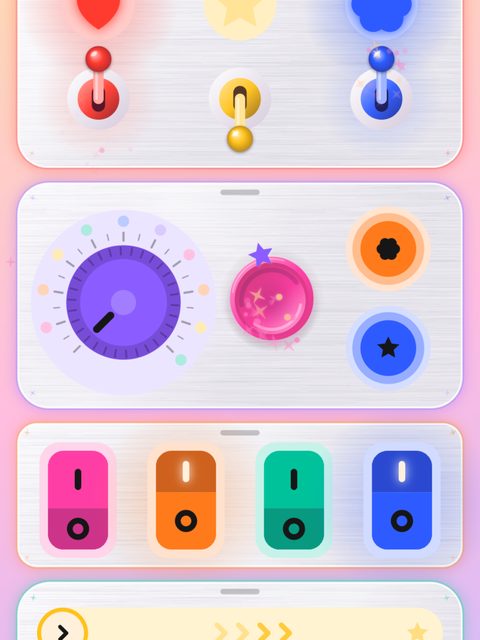
Chunky switches, buttons and swipes that click, glow and sparkle.
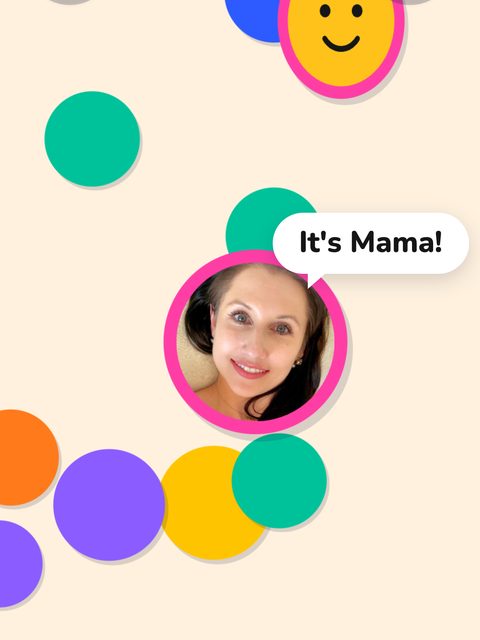
Faces
Peekaboo with family. Tap a smiley to find Mama and hear her say hello.
 Free
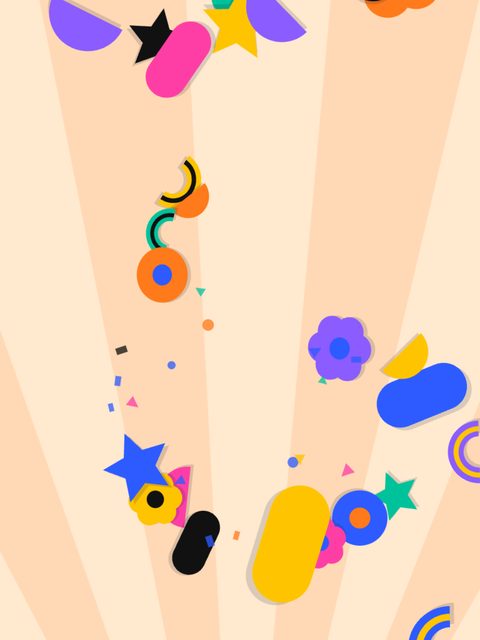
Mod
Bold shapes in bright colors that bounce and burst into confetti.
calm to playful

Peekaboo with the people they love.
Add Mama, Dada, Nana or anyone else. Their faces hide behind smiley circles, and when your baby taps one, the face pops out and says hello in their own voice.
- Snap a selfieOr pick any photo. Baby Mode finds the face for you.
- Get a color popThe person is cut out and set on a bright, happy color.
- Record a helloUp to 4 seconds. "Peekaboo! I love you!" works great.
Simple & Safe.
No way out
Once Guided Access is on, the home swipe, notifications and your other apps are off limits until you unlock it.
Grown-up buttons
Menus open with a 2 second hold, then a quick 1, 2, 3 tap check, so random taps can't get in.
Feels like a toy
Gentle vibrations with every pop, and chimes that play even when your phone is on silent. Both can be turned off anytime, and Calm mode slows everything down.
No ads, no links
Nothing pops up, nothing to tap into, no accounts, no tracking. Just bubbles, shapes and smiles.
Works anywhere
No Wi‑Fi or data needed. Perfect for waiting rooms, flights and the grocery line.
iPhone and iPad
Big, bright circles that scale up beautifully on a bigger screen.
Three switches. Two minutes.
No app can lock your phone on its own. Apple only allows it through Guided Access, which is built into every iPhone and iPad. Do these once and Baby Mode locks itself every time it opens. The app walks you through the same steps.
-
1
Download Baby Mode
Get Baby Mode from the App Store on your iPhone or iPad. It's free to download.
 Coming soon. Join the waitlist to get it free at launch.
-
2
Turn on Apple's baby lock
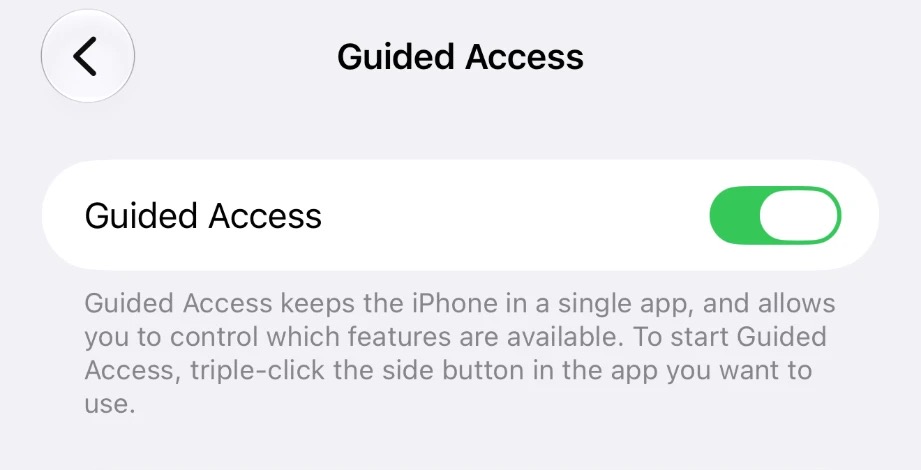
Settings → Accessibility → Guided Access → turn it on. Then, still in Guided Access:
- Passcode Settings → Set Guided Access Passcode, and turn on Face ID.
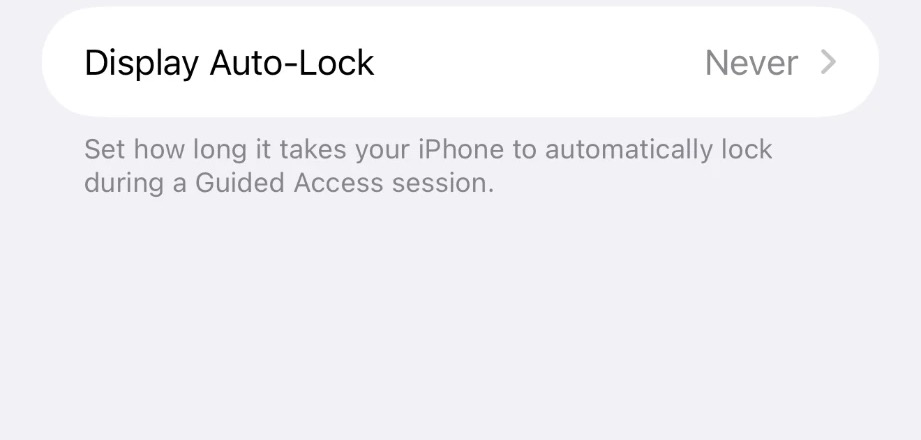
- Display Auto-Lock → Never.
Your passcode is how you'll unlock, so pick one your kids don't know. "Never" keeps the screen from going dark mid-play. It only applies while Baby Mode is locked.
-
3
Triple-click to lock and unlock
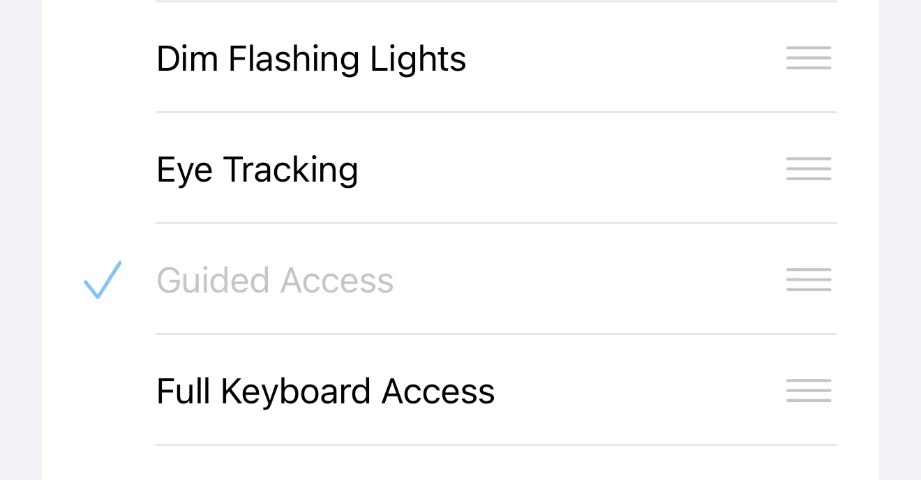
Still in Settings → Accessibility, scroll to the very bottom: Accessibility Shortcut → tick only Guided Access.
If anything else is ticked, triple-click shows a menu instead of unlocking. To unlock later: triple-click the side button, look at your phone, and tap End.
-
4
Lock Baby Mode as it opens
Open the Shortcuts app (it comes with every iPhone) and tap Automation → New Automation (or +):
- App → choose Baby Mode, tick Is Opened and Run Immediately
- Tap Next → New Blank Automation
- Add Action → Start Guided Access → Done
This is the magic part. Every time Baby Mode opens, your phone locks onto it, even when Siri opens it.
-
5
Test it, then one last switch
Open Baby Mode, swipe up to go home, then open it again. It should lock right away.
While it's locked, triple-click the side button, look at your phone and tap Options:
- Side Button: off, so a press doesn't turn the screen off
- Touch: on, so little fingers can play
- Volume Buttons: off too if little hands like to mute it
Tap Done, then Resume. Your iPhone remembers these for next time.
-
6
Babyproof your lock screen too
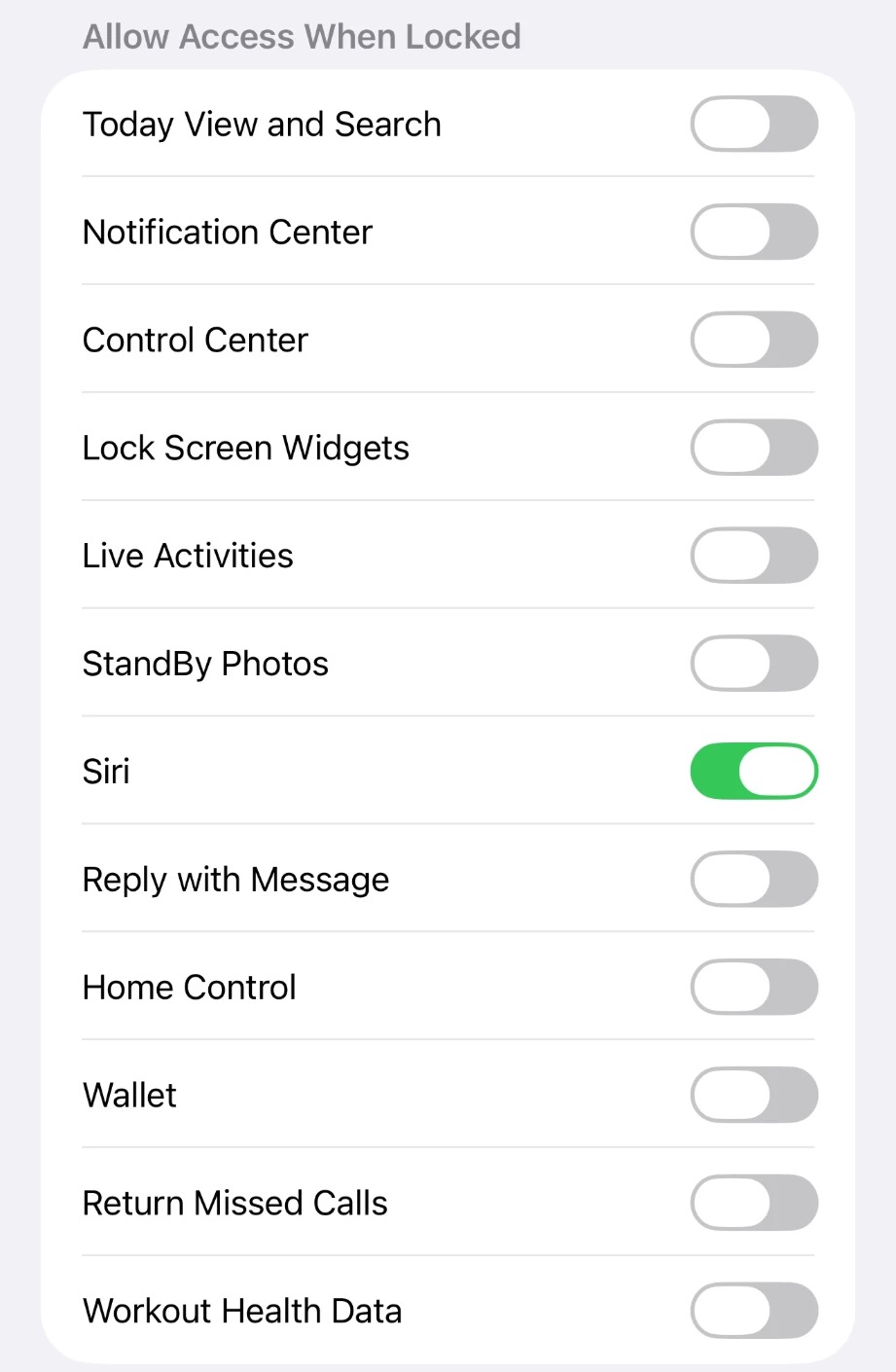
Settings → Face ID & Passcode → scroll to Allow Access When Locked and turn off everything except Siri.
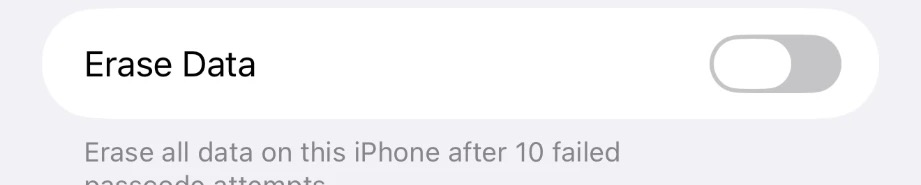
Just below, make sure Erase Data is off.
Now even when your phone is locked, there's nothing to tap into. And a determined toddler can't wipe your phone by guessing the passcode 10 times.
Now try it
Say "Siri, open Baby Mode." Baby Mode opens, the o in "mode" clicks shut into a padlock, and you'll see Locked at the top. To unlock, triple-click the side button, look at your phone and tap End.
Good to know
- What if my phone is locked? Siri can't open an app until your iPhone is unlocked, and Face ID only unlocks for your face, from about arm's length. That's where step 6 comes in: it makes your lock screen babyproof too. To keep your phone unlocked more often:
- Stay unlocked longer. Settings → Display & Brightness → Auto-Lock → 5 minutes. Uses a bit more battery.
- Unlock without looking right at it. Settings → Face ID & Passcode → turn off Require Attention for Face ID. Handy mid-diaper change. A little less secure.
- Go straight to one screen. In Baby Mode, hold Settings and pick a Start screen. It locks, then goes there on its own every time.
- Prefer a button? Settings → Action Button → Shortcut → Start Baby Mode. One press opens it and it locks.
- Back Tap: add the Baby Lock shortcut from the setup guide in the app, then Settings → Accessibility → Touch → Back Tap → Double Tap → Baby Lock.
- Rather not say "Siri"? Turn on Voice Control (Settings → Accessibility), keep Attention Aware off, say "Command mode" once, then just say "Open Baby Mode". It keeps the microphone listening, so most families are happier with Siri.
- Want to play with it yourself? Turn the automation off in the Shortcuts app and Baby Mode opens without locking. Grown-ups love popping bubbles too.
- Works on iPhone and iPad with iOS 17 or newer.
Free to try. $4.99 for everything at launch.
$12.99 after Nov 18. No subscriptions, no ads. And the first 300 waitlist families get the full app free at launch.
Baby Mode
- Black, Sky Writing, Light and Mod lock screens
- Locks itself every time it opens
- Just say "Siri, open Baby Mode"
- No ads, no accounts
Unlock Everything
- Everything in the free app
- Dark, Beach, Paint, Pop It, Switchboard and Faces
- Family faces with their own voice hellos
- Every new lock screen we add
- Family Sharing: one purchase covers your family
Questions
Do I have to use Siri?
No, but it's the easiest way. Say "Siri, open Baby Mode" and it opens and locks itself. You can also tap its icon or press your Action Button. However it opens, it locks.
Can I use it without the lock?
Yes. Skip the setup and Baby Mode is a fun fidget toy you can swipe out of anytime. If you've set up the lock, turn the automation off in the Shortcuts app whenever you want to play with it yourself.
Can my baby really not get out?
With Guided Access on, the home swipe, Control Center and notifications are switched off, and you can turn off the side buttons too. Only someone with your passcode (or Face ID) can end it. Inside the app, grown-up menus need a 2 second hold and a 1, 2, 3 tap check.
Why do I have to change settings?
Apple doesn't let any app lock your phone by itself. Guided Access is Apple's own built-in lock, and a Shortcuts automation turns it on whenever Baby Mode opens. Once it's set up, you never have to touch it again.
How much does it cost?
Baby Mode is free to download, with the Black, Sky Writing, Light and Mod lock screens. Unlock Everything opens Dark, Beach, Paint, Pop It, Switchboard, Faces and every future lock screen. It will be $4.99 at launch through Nov 18, then $12.99. It's one time, no subscription, and Family Sharing covers your whole family. The first 300 families on the waitlist get a free code by email at launch.
When does it launch?
November 11. You can pre-order now, and the first 300 waitlist families get their free code by email that day.
What ages is it for?
Babies around 6 months up through preschoolers. The little ones love the pops and chimes, and the bigger kids love painting, digging in the sand and finding family faces.
Does it need the internet?
No. Everything runs right on your phone, so it works on planes, in parking lots and anywhere else.
Where do the family photos and voices go?
Nowhere. They're saved on your phone only and never uploaded. Removing a face in the app deletes it, and deleting the app deletes everything. Read the privacy policy.
Which devices does it work on?
iPhone and iPad running iOS 17 or newer. That's the iPhone XS and XR and every iPhone since.
Can I turn off the sound or vibration?
Yes. On the Baby Mode home screen, hold Settings and switch Sound or Vibration off. Settings is also where you pick the start screen, the grown-up hold time, Calm mode and whether to show the grown-up hints.
Next time they grab it, you'll be ready.
Baby Mode arrives on the App Store Nov 11. Pre-order it now, and join the waitlist: the first 300 families get the full app free.